Online Payments: Verify Account
Why Verify?
If you need to make payments totaling more than $5,000 per week, you'll need to verify with our payment processor, Dwolla.
By default, Dwolla accepts up to $5,000 in total payments per week, but once verified, you can make individual payments up to $10,000 with no daily or weekly limit. If you don't need the higher threshold, there's no need to verify.
Becoming a Verified Customer with Dwolla
Set up your Profile
First, make sure you have logged in to your Online Portal. If you're unsure how to do this, please contact your lender directly. You may also find the link on your most recent billing statement.
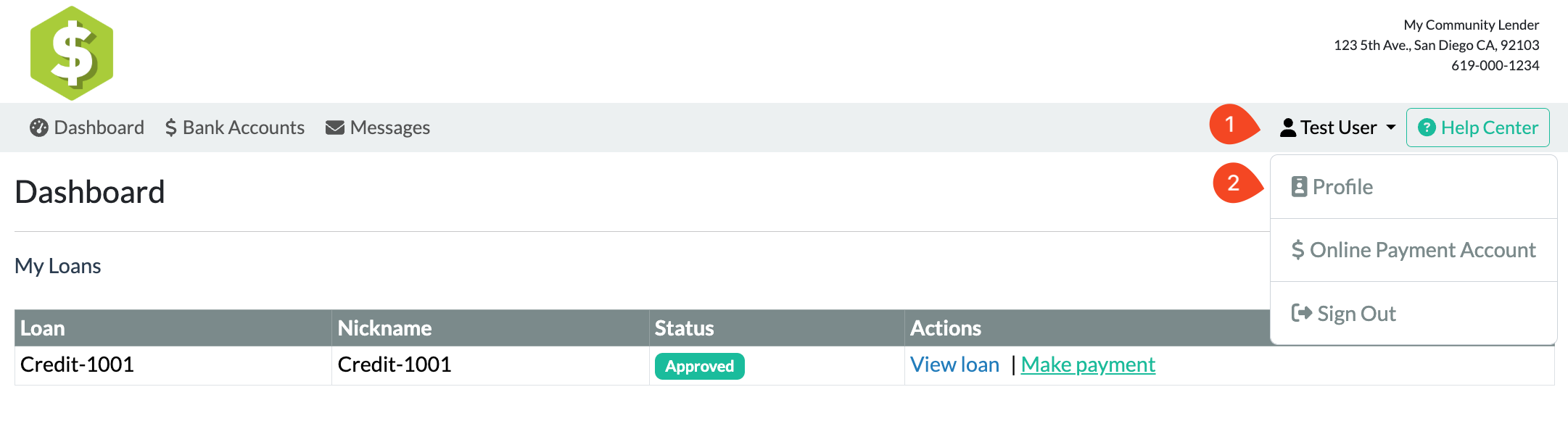
- While logged in, click your name in the upper right-hand corner of the screen.
-
Next, click Profile.
-
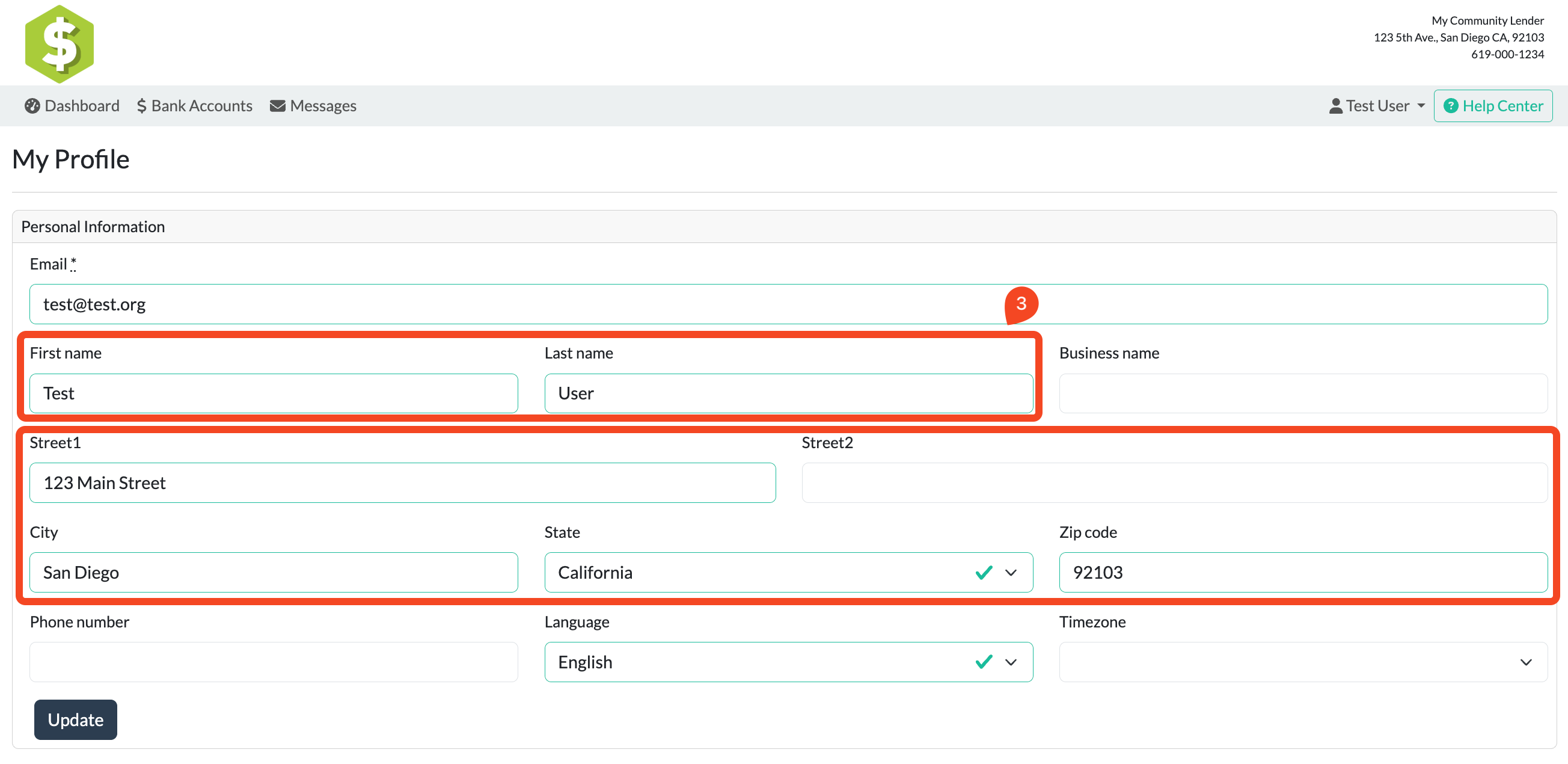
On the next screen, completely fill out your profile. First and last name and full address are required.
Set up your Online Payment Account
Click your name in the upper right-hand corner of the screen and click Online Payment Account.
Step 1: Accept Terms
- If this is your first time accessing this screen, you'll need to read and accept the terms and policies.
- Otherwise, you will be taken directly to Step 2.
Step 2: Create Payment Account
-
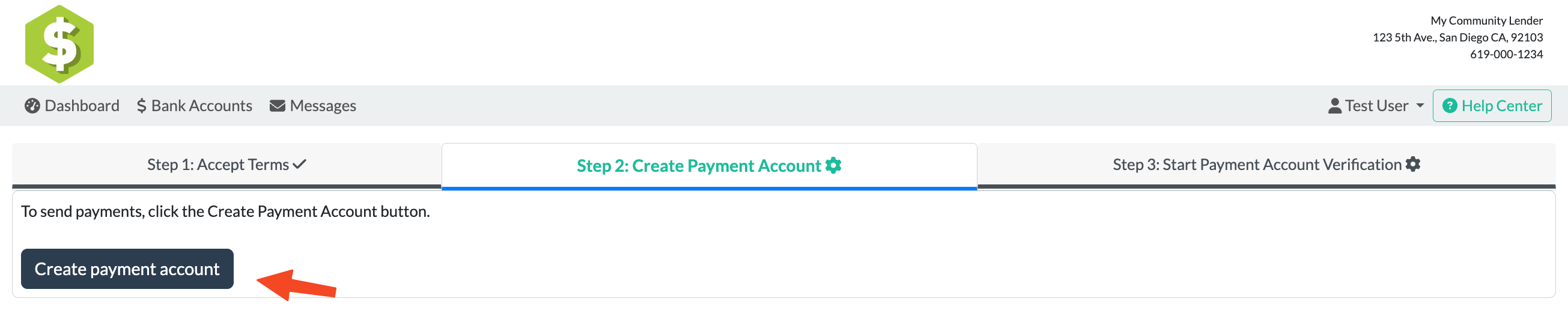
If this is your first time using the payment system: Click Create Payment Account.
-
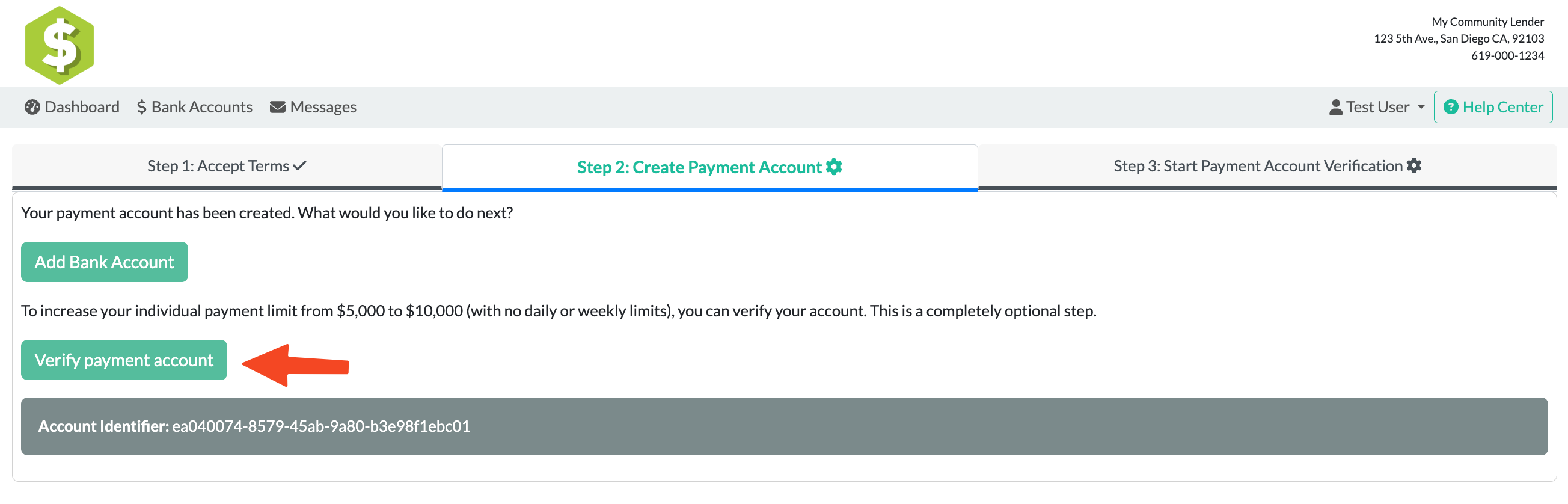
After your payment account is created, click the Verify payment account to be able to make payments over $5000 button and you will be taken to Step 3.
Step 3: Start Payment Account Verification
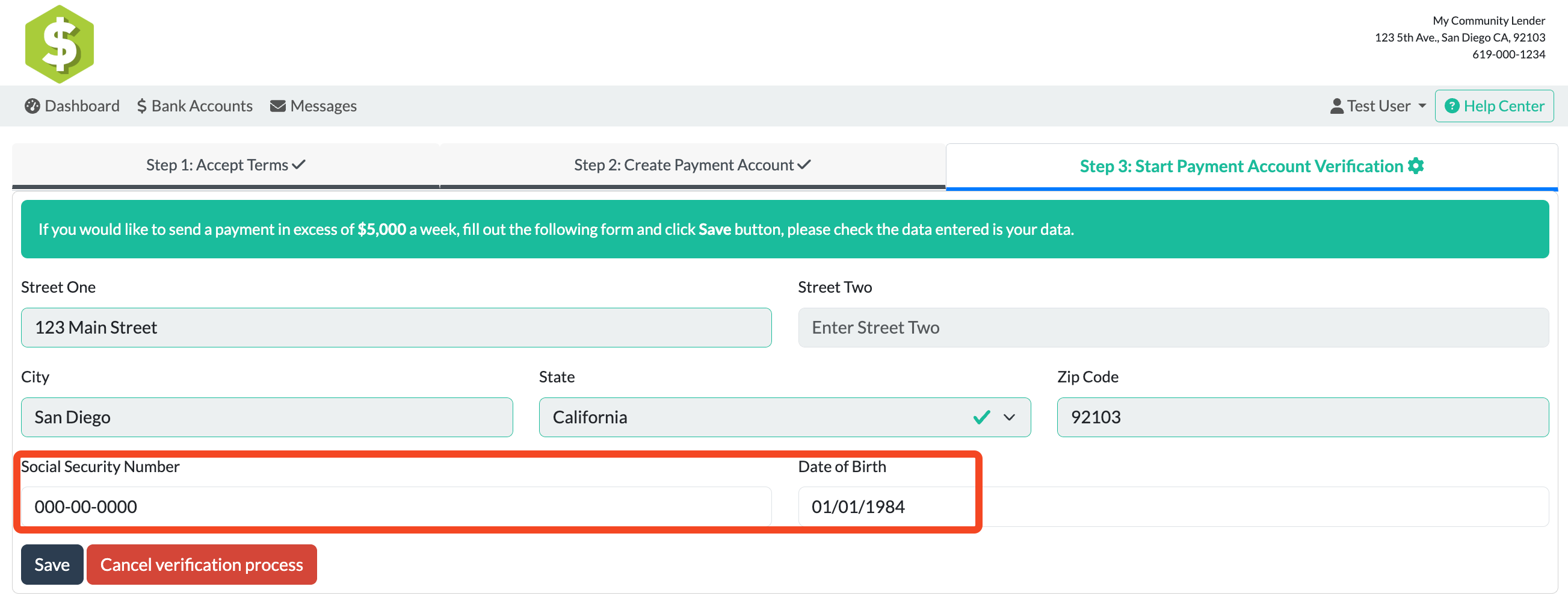
- The form will pre-fill in your name and address from your Profile. If anything is incorrect, stop and go back to your Profile to correct.
-
To verify your identity, enter the remaining information: your SSN and date of birth. Then click Save.
-
Click Verify My Account to continue the verification process.
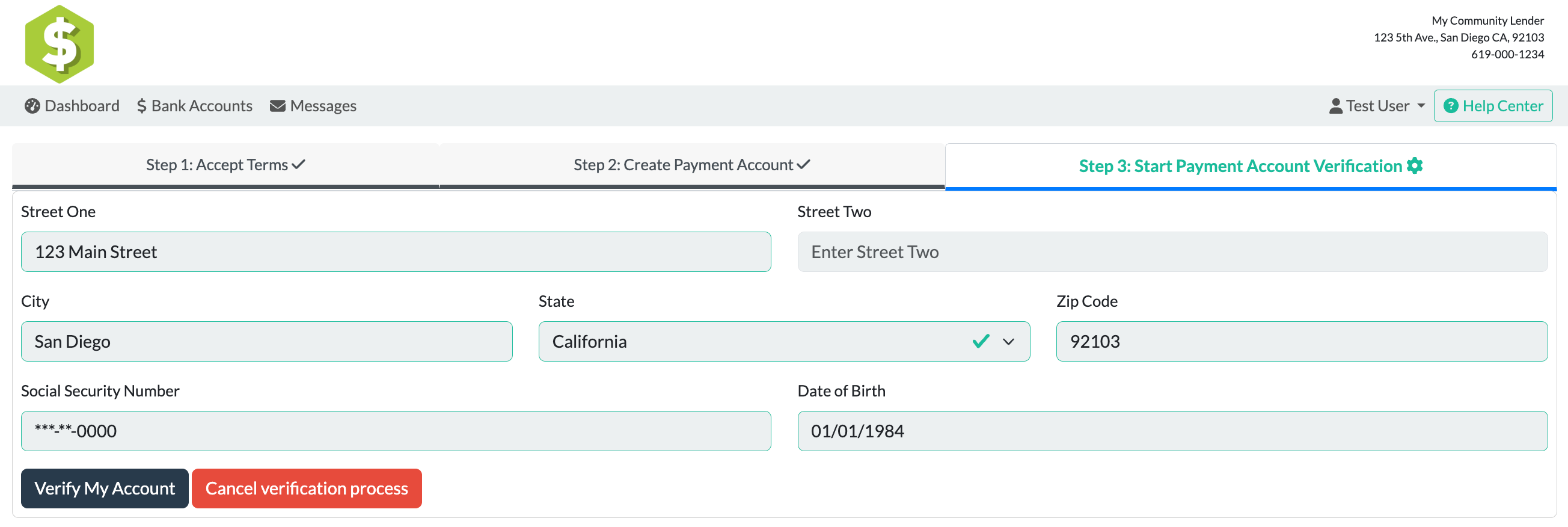
- You will receive an email with the status of your verification. Dwolla may request documentation is need to confirm your identify.
- If documentation is requested, log back in and return to this section to upload the required document(s).
Once verified, this screen will update and new limits will be available immediately.

Updated 06/06/2025 -sd